FlowTimely
Overview
Flow Timely is a purpose-built agenda application designed to help users manage tasks through time-boxed workflows. The product allows users to add daily tasks and assign timers to each one, enabling clear visibility into how time is allocated and spent throughout the day.
The goal was to address common productivity challenges — task initiation, time awareness, and focus — by creating a structured alternative to generalized productivity platforms like Trello and Todoist. Rather than competing on feature breadth, Flow Timely focuses on a single objective: helping users start tasks, maintain focus, and complete their day with clarity and intention.
Problem Modern productivity tools offer powerful capabilities but often introduce complexity that undermines their core purpose. Through competitive analysis and observation of user behavior, several consistent challenges emerged: users struggle to prioritize and initiate tasks within cluttered interfaces; time management is rarely integrated directly into task workflows; feature-heavy platforms increase cognitive load and decision fatigue; and users lack visibility into how long tasks actually take. The challenge was to design a system that integrates time awareness directly into task execution, rather than treating it as a separate planning function.
Problem
Modern productivity tools offer powerful capabilities but often introduce complexity that undermines their core purpose. Through competitive analysis and observation of user behavior patterns, several consistent challenges emerged:
- Users struggle to prioritize and initiate tasks within cluttered interfaces
- Time management is rarely integrated directly into task workflows
- Feature-heavy platforms increase cognitive load and decision fatigue
- Users lack visibility into how long tasks actually take
The challenge was to design a system that integrates time awareness directly into task execution, rather than treating it as a separate planning function.
Research & Market Insight
The productivity software landscape is dominated by highly customizable platforms designed to accommodate a wide variety of workflows. While this flexibility benefits power users, it often creates friction for individuals seeking a straightforward way to plan and execute their day.
User frustrations commonly centered around:
- Difficulty organizing tasks into a clear daily structure
- Lack of built-in mechanisms for time-boxing work
- Overwhelming interfaces with too many configuration options
These insights highlighted a gap in the market for a tool that emphasizes clarity, predictability, and focus over feature expansion.
From these findings, three core product mandates were established:
- Simplify task initiation to reduce friction when starting work
- Externalize time management with built-in timers for each task
- Maintain visual clarity to reduce cognitive load and decision fatigue
These principles formed the foundation for Flow Timely's design strategy.
Product Strategy
The design approach focused on translating common executive-function challenges into intuitive product features. Three guiding principles shaped the experience:
Clarity
Interfaces should communicate information instantly. Simplified layouts and strong visual hierarchy help users quickly understand their priorities.
Predictability
Interactions should be consistent and repeatable, allowing users to build reliable daily routines.
Focus
The product should support sustained work rather than encouraging constant task switching.
This framework ensured the product remained aligned with its central goal: helping users move from planning to execution with minimal friction.
Design System
The interface was designed to minimize visual noise while emphasizing critical information. Key design decisions included:
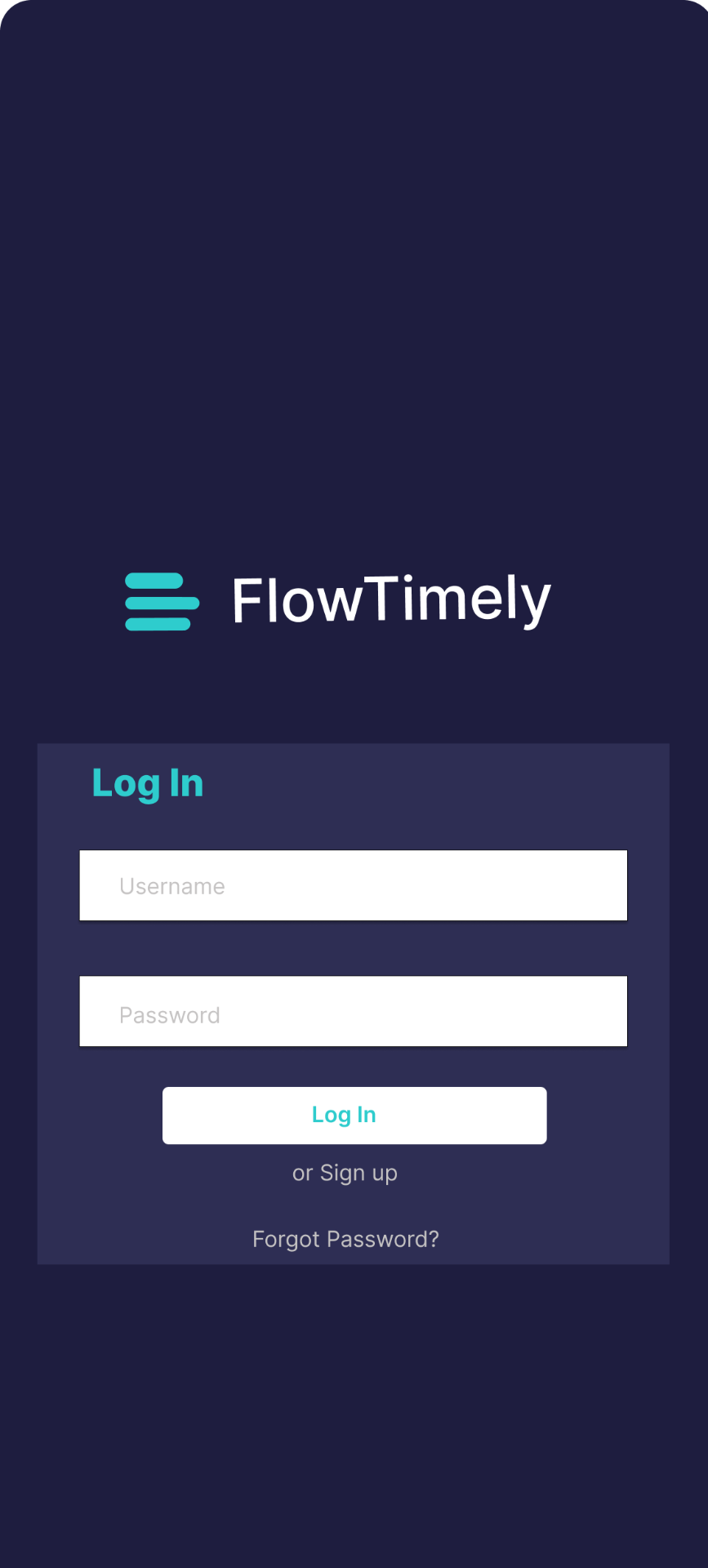
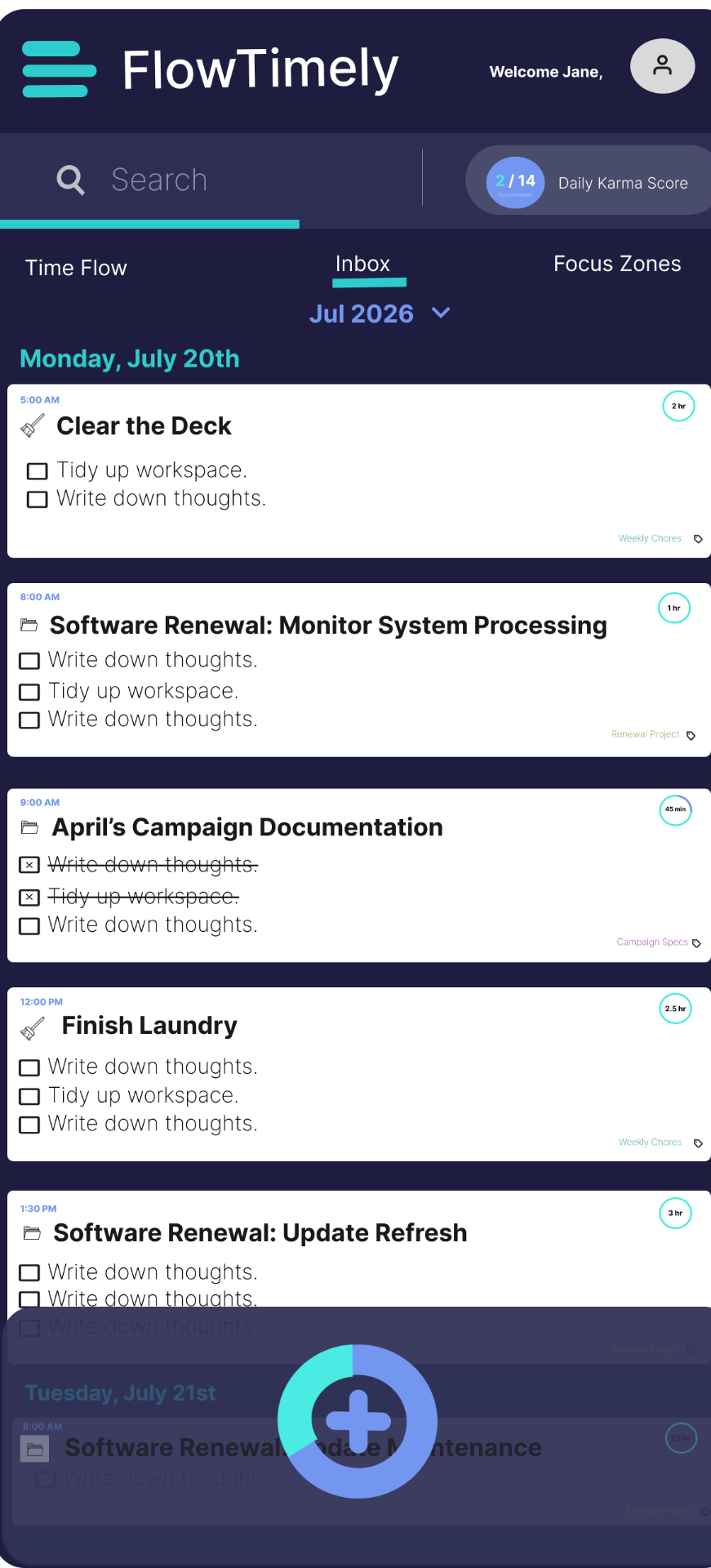
- High-contrast color palette (Indigo, Teal, and Rose against a neutral background) to enhance visibility
- Large touch targets and task cards to simplify interaction
- Simplified typography and spacing to improve readability
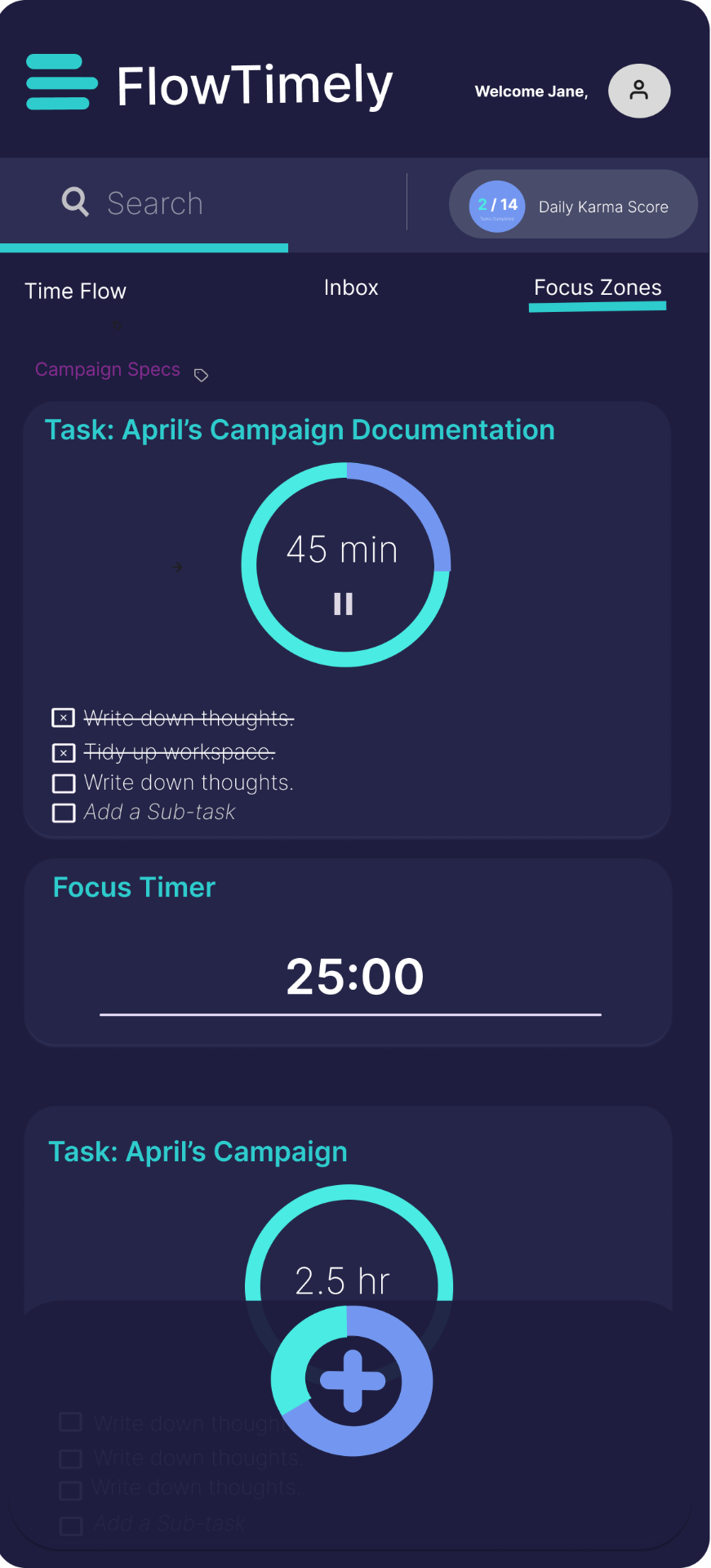
- Bold timer indicators to highlight time allocation and progress
These choices reduce cognitive effort and help users remain engaged with the task at hand.
Product Structure
The application experience is organized into three core views that support different stages of task management.
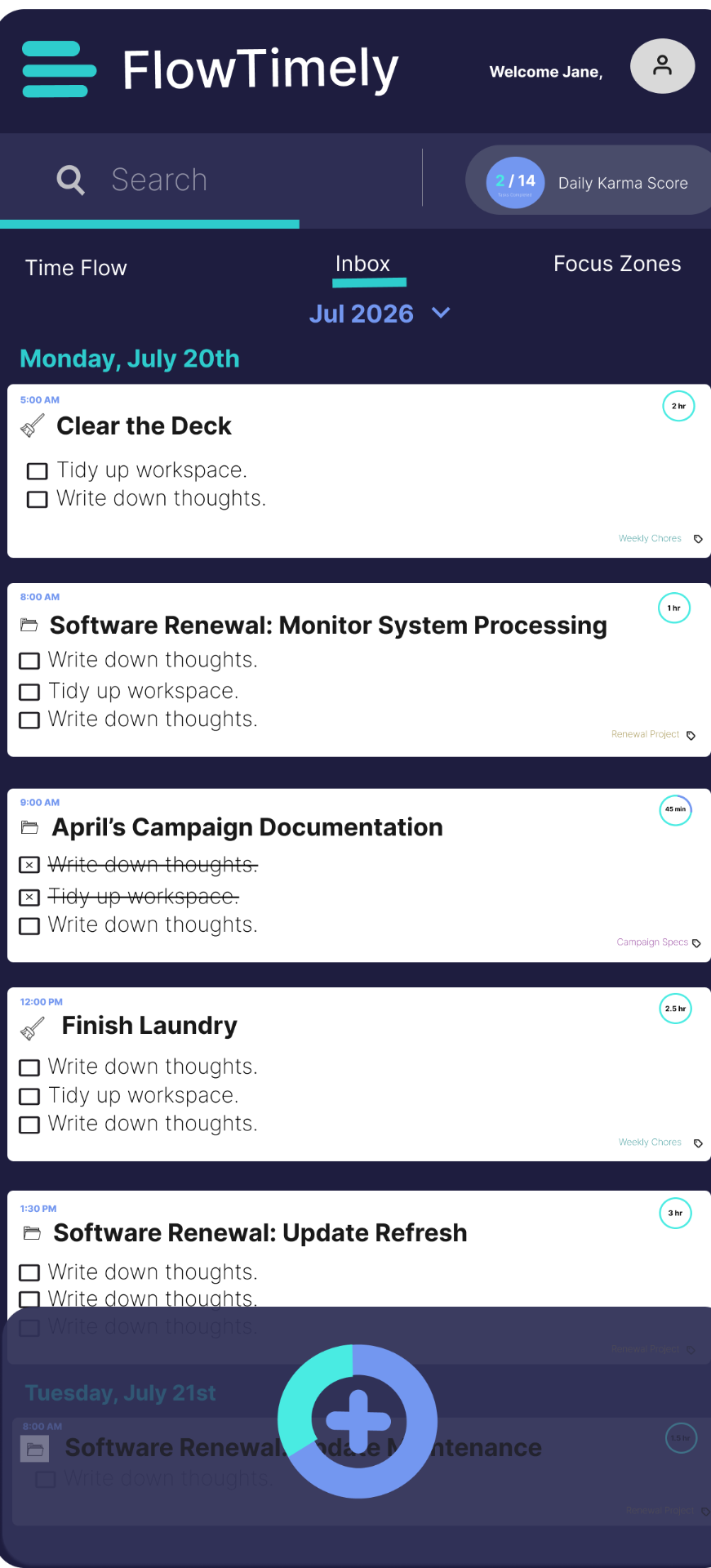
Agenda View
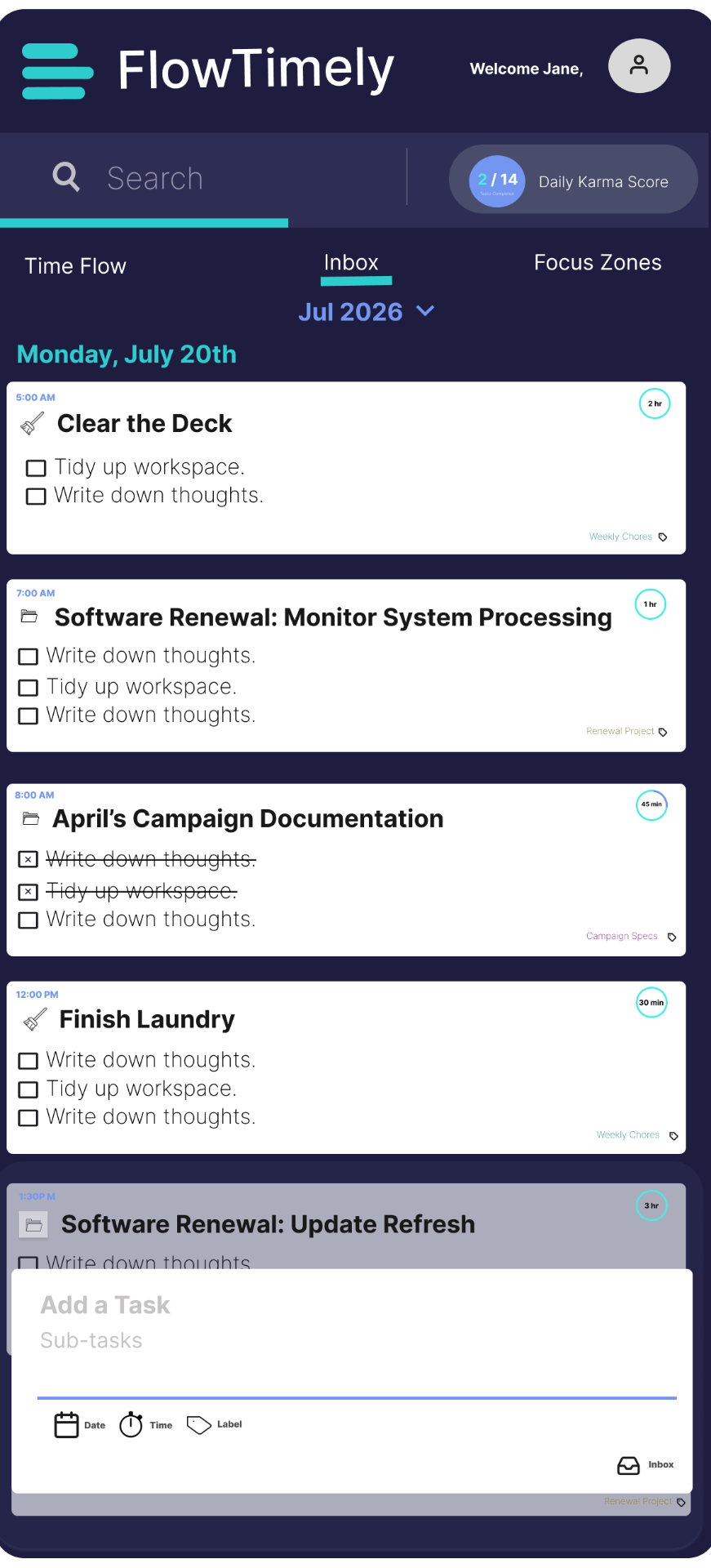
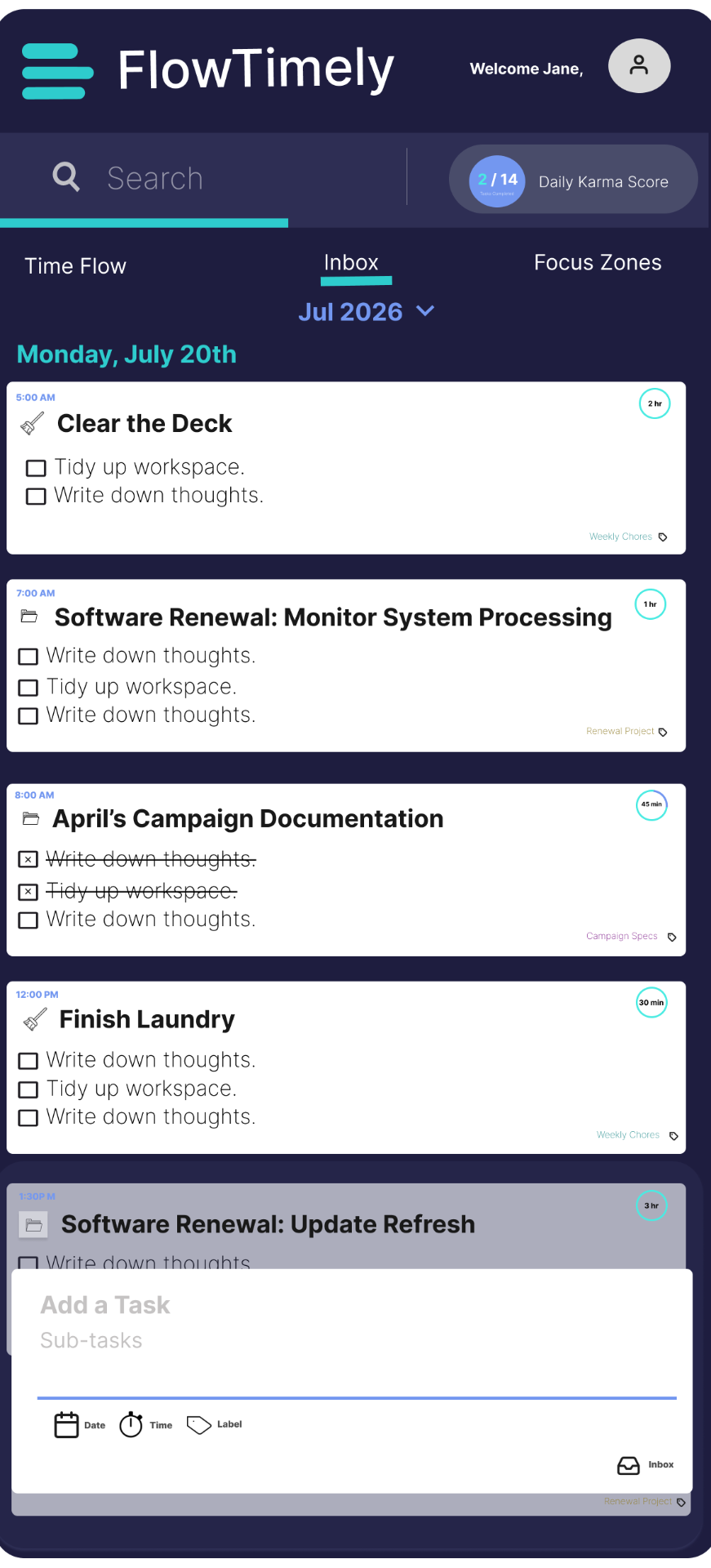
The Agenda View functions as the daily planning hub. Tasks appear as large, editable cards that allow users to easily add, reorder, and prioritize work.
This view emphasizes clarity and rapid task input so that users can move quickly from planning into execution.
Core functions include:
- Task creation and editing
- Drag-and-drop prioritization
- Time allocation assignment
- Visual hierarchy of tasks
Time Flow View
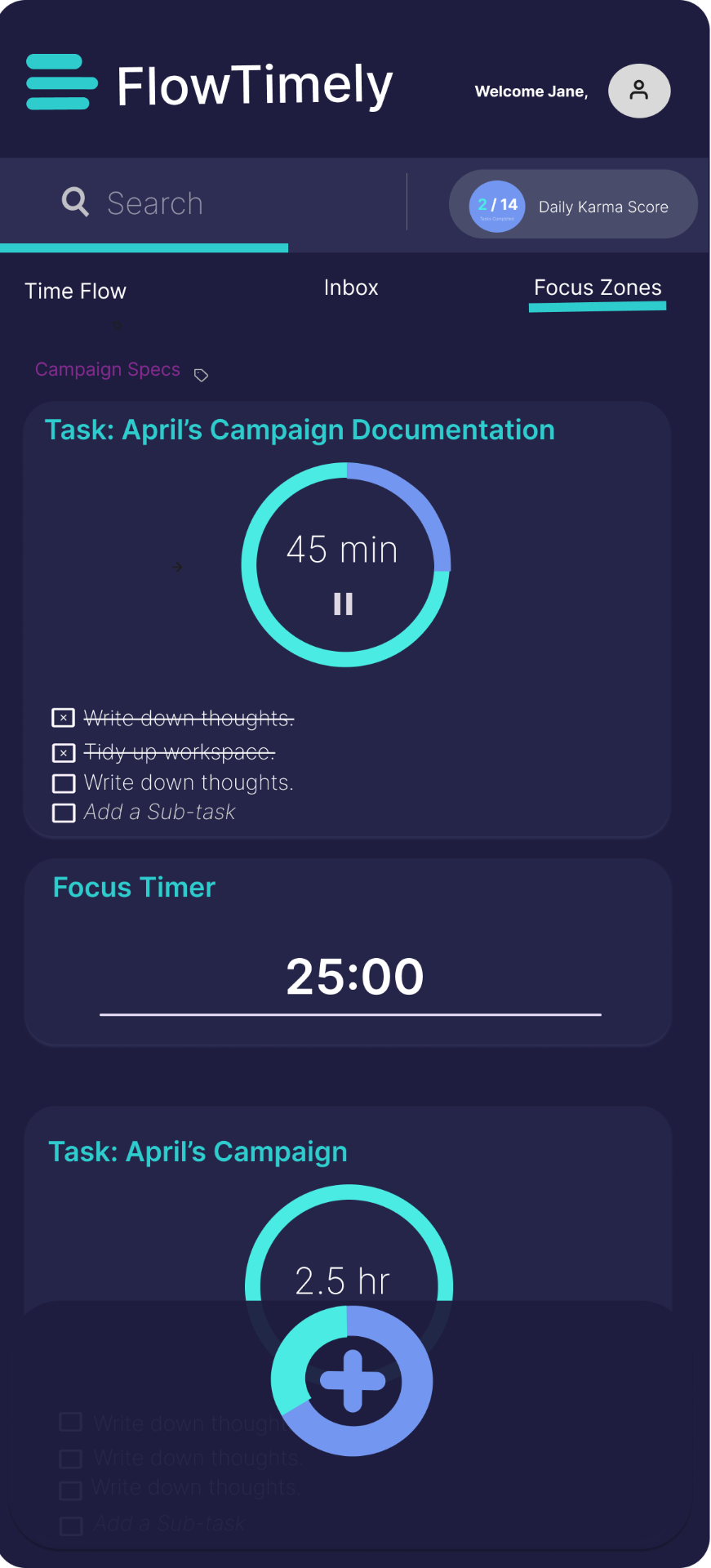
Each task includes a customizable timer that visualizes the amount of time allocated and remaining.
This feature externalizes time awareness, helping users manage their schedule more intentionally and avoid losing track of time during deep work sessions.
Key functions include:
- Start, pause, and reset timers
- Visual countdown indicators
- Time progress bars
- Session tracking for each task
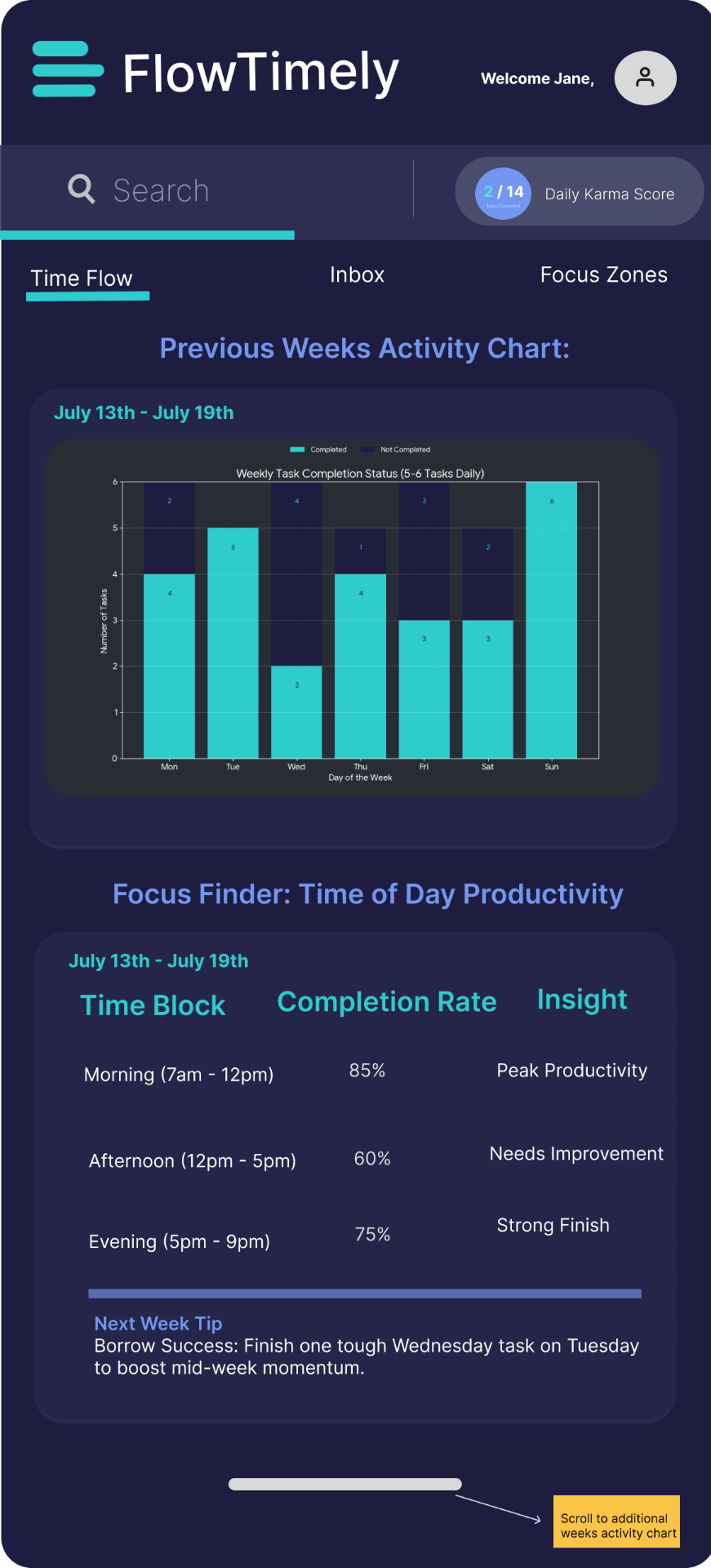
Analytics View
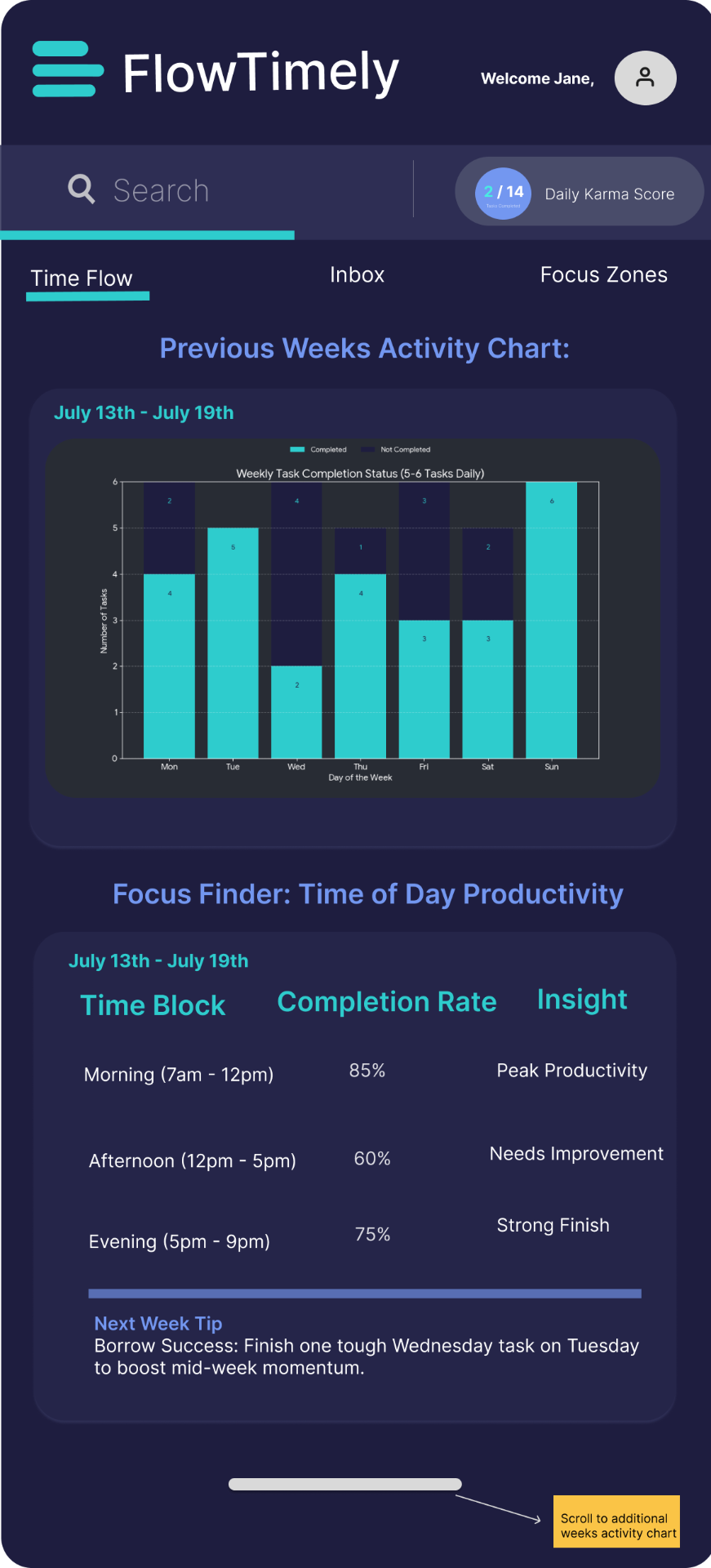
Each session is tracked through visual analytics that compare current and previous week activity, highlighting patterns in time-of-day productivity and task time-block completion.
This view externalizes performance insights, helping users understand when they work most effectively and adjust their schedules to improve focus and overall time management.
Key insights include:
- Weekly productivity trends
- Time-of-day focus patterns
- Task completion rates
- Time allocation accuracy
Visualization libraries such as Chart.js or D3.js would be used to render these analytics.
Final Experience
The final product concept delivers a streamlined agenda system designed to help users plan, execute, and complete their daily work with clarity.
Key features include:
- Structured daily planning through prioritized task cards
- Built-in task timers that support time-boxed workflows
- Visual indicators that display time spent versus time remaining
- Clean, high-contrast layouts that improve accessibility and reduce distractions
Together, these features create a productivity experience that is both simple and highly functional, allowing users to stay focused without navigating unnecessary complexity.
Technical Infrastructure
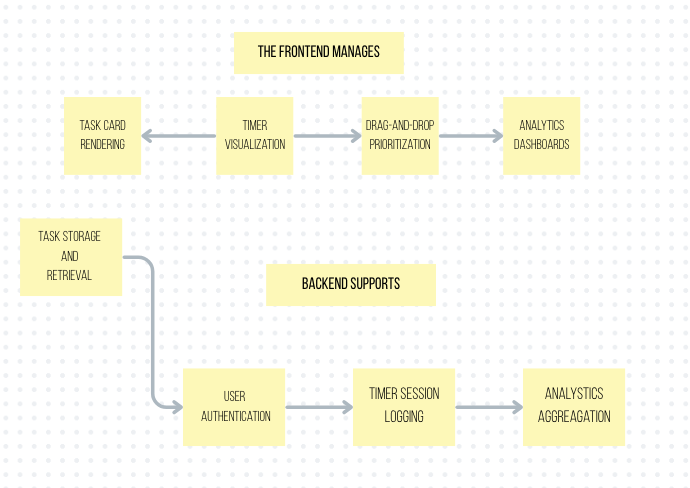
To support the product experience described above, Flow Timely requires a layered technical architecture that manages user interaction, application logic, data storage, and analytics processing.
Frontend System
The frontend interface is responsible for rendering the Agenda, Time Flow, and Analytics views and handling user interaction.
A modern frontend stack could include:
- React for component-based interface development
- TypeScript for scalable application logic
- Tailwind CSS for styling and layout systems
- State management tools such as Redux
Backend System
The backend manages persistent data and application services.
A common backend stack would include:
- Node.js as the server runtime
- Express.js for API routing
- PostgreSQL for structured data storage
Application Logic
Application logic coordinates how tasks, timers, and sessions behave throughout the system.
Key logic systems include:
- Task lifecycle management
- Timer synchronization
- Session tracking
- State updates across views
For example, the timer engine continuously updates countdown states while storing session start and end times for analytics tracking.
Database Structure
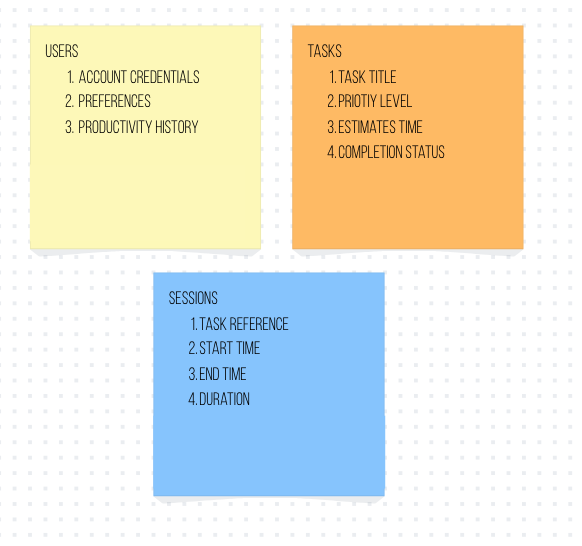
The database stores the core data structures required by the application.
Analytics Pipeline
User activity generates behavioral data that feeds into the analytics system.
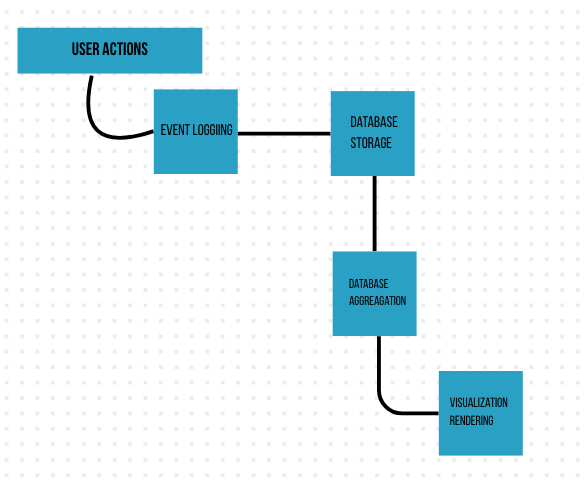
Analytics platforms such as Mixpanel or Segment could support event tracking and behavioral analysis.
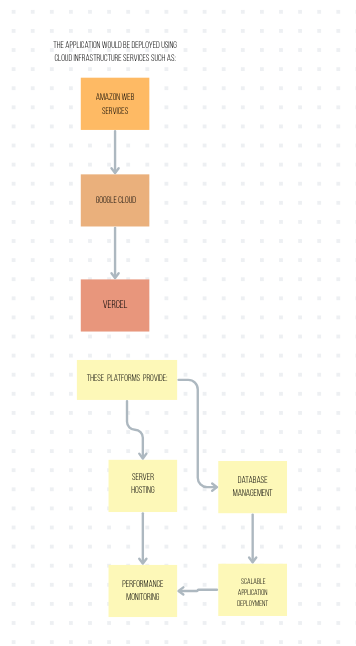
Cloud Infrastructure
The application would be deployed using cloud infrastructure services.
Design Tradeoffs
Several deliberate tradeoffs helped maintain the product's focus.
Feature Breadth vs Simplicity
Instead of replicating the extensive capabilities of platforms like Notion or Trello, Flow Timely intentionally limits functionality to core daily planning behaviors. This prevents feature overload and preserves clarity.
Automation vs User Intent
Rather than automatically scheduling tasks, users manually assign time allocations. This encourages intentional planning and keeps the system transparent and predictable.
Information Density vs Readability
The interface favors large task cards and prominent timers instead of dense information layouts, improving usability and reducing cognitive strain.
Measuring Success
If Flow Timely were launched as a production product, success would be evaluated through behavioral metrics tied to productivity outcomes.
Key metrics would include:
Task Completion Rate
The percentage of tasks completed within their assigned time blocks.
Task Initiation Time
The average time between task creation and the start of its timer.
Daily Agenda Completion
The proportion of planned tasks completed each day.
Focus Session Duration
The average uninterrupted work period per task.
These metrics would help determine whether the product effectively improves focus and time awareness compared to traditional productivity tools.
Reflection
This project reinforced an important insight: productivity tools often fail not because they lack features, but because they introduce unnecessary complexity.
By focusing on clarity, predictable workflows, and externalized time management, Flow Timely demonstrates how a simplified design approach can meaningfully improve the way users plan and execute their day.
The project highlights the value of combining strategic product thinking with empathetic user-centered design to create tools that are not only functional but genuinely supportive of real work behaviors.